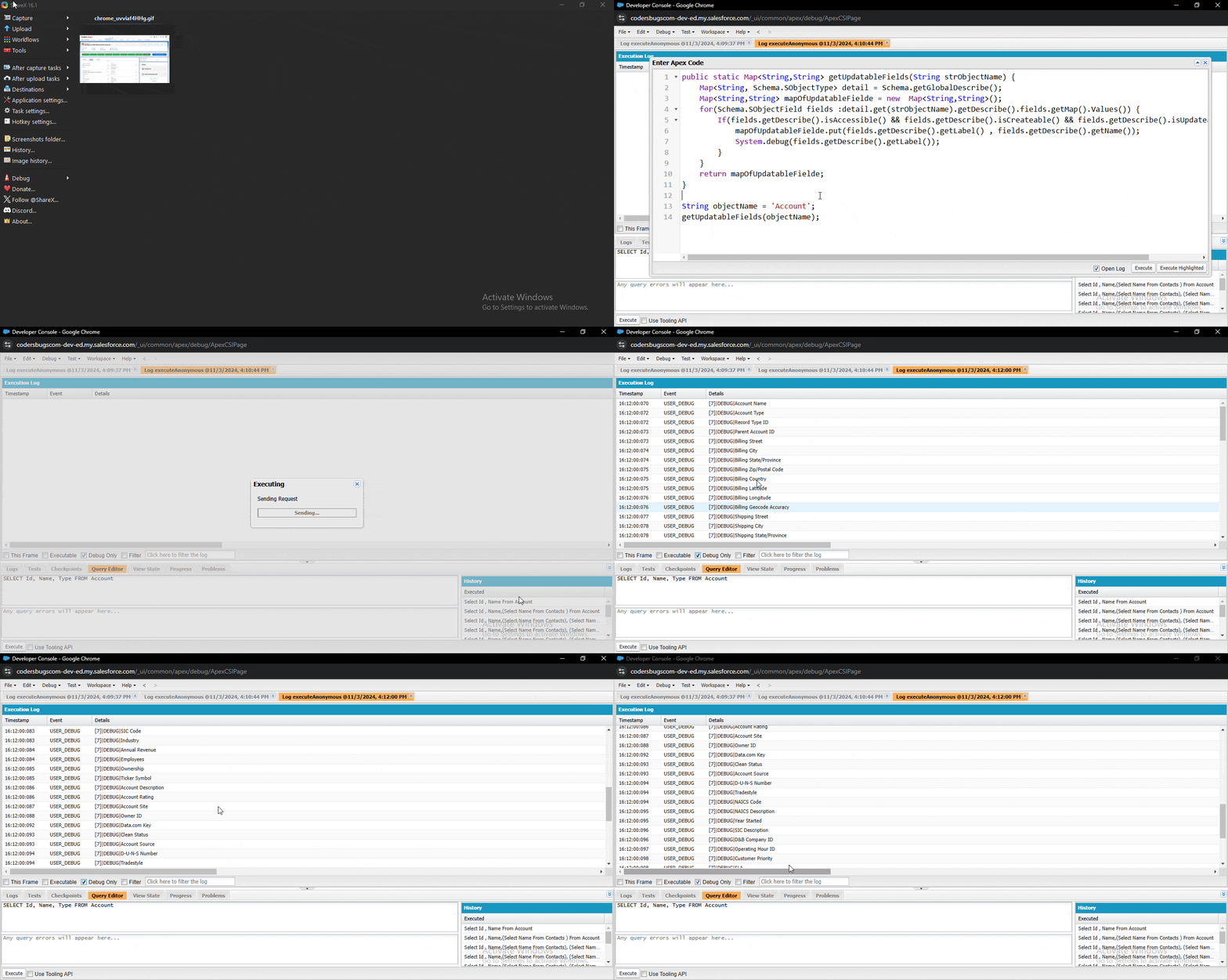
We are using isCreateable() & isUpdateable() methods to identify writable fields. This code will always return some standard read-only fields like: OwnerId which may not be updated from LWC lightning-record-edit-form.
How the code works
The method describes every field of the object and keeps the fields that are accessible, createable and updateable. It returns a Map from the label to the API name.
Problems in this version
Too strict: requiring isCreateable() removes fields that users can edit but cannot set when creating a record.
Slow:getDescribe() is called three times for each field. Call it once and keep the result.
Label as key: two fields with the same label overwrite each other in the Map. The API name is unique.
Improved method
public static Map<String, String> getUpdatableFields(String objectName) {
    Map<String, String> result = new Map<String, String>();
    Schema.SObjectType objType = Schema.getGlobalDescribe().get(objectName);
    if (objType == null) {
        return result;
    }
    for (Schema.SObjectField f : objType.getDescribe().fields.getMap().values()) {
        Schema.DescribeFieldResult d = f.getDescribe();
        if (d.isAccessible() && d.isUpdateable()) {
            result.put(d.getName(), d.getLabel());
        }
    }
    return result;
}
FAQ
Are formula fields included? No. They are read only, so isUpdateable() returns false.
Does it respect field-level security? Yes. The describe results reflect the access of the running user.