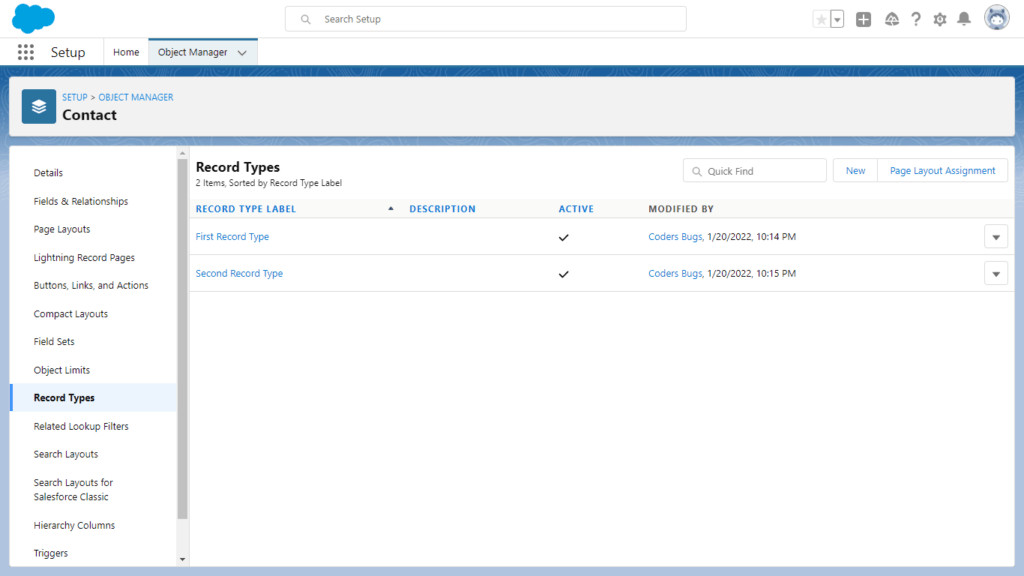
Get all record types available on sObject in APEX Get all record types available on sObject in APEX Post author:Swapnil Jaiswal Post published:August 15, 2022 Post category:Blog / Salesforce Post comments:0 Comments Suppose that you want to get all record types of any standard or custom object in APEX class , here is the simplest way to solve your problem. I have created two record types on Contact Object , Master is the default record type available on every Object. Get All record Type Here we are using Schema class to find record type , the below code will return all Standard and Custom record types available on Contact Object. Schema.DescribeSObjectResult describe =Schema.getGlobalDescribe().get('Contact').getDescribe(); Schema.RecordTypeInfo defaultRecordType; for(Schema.RecordTypeInfo recordType : describe.getRecordTypeInfos()) { System.debug( recordType.getDeveloperName()); } Get only Custom Record types Given code help you to find all Custom record types of Contact Object . Schema.DescribeSObjectResult describe =Schema.getGlobalDescribe().get('Contact').getDescribe(); Schema.RecordTypeInfo defaultRecordType; for(Schema.RecordTypeInfo recordType : describe.getRecordTypeInfos()) { if(recordType.isDefaultRecordTypeMapping()) { System.debug( recordType.getDeveloperName()); } } Get Id of record type To get the Id of record type use getRecordTypeId() method . System.debug( recordType.getDeveloperName()); I hope this blog help you to learn something new . Please share with your Coders friends , don’t forget to subscribe our Youtube channal. You Might Also Like L&T – Salesforce Developer Interview Questions September 24, 2024 Trigger : Find all Account related Contacts when an Account is Updated. January 5, 2025 VS Code Shortcuts to Deploy LWC, Apex, Triggers & Everything June 15, 2025 HCL – Salesforce Developer Interview Questions November 7, 2024 Retrieve Custom/Standard objects with package.xml November 11, 2024 PwC India Salesforce FSC Developer Round 1 May 27, 2026 Leave a Reply Cancel replyCommentEnter your name or username to comment Enter your email address to comment Enter your website URL (optional) Save my name, email, and website in this browser for the next time I comment.