Lets say you want to get all fields of any standard or custom object , reason to get those field may be different its all depend on you how and were you want to use those fields.
Here is the simplest way to get fields from object , you don’t need to write a single line if APEX code or Query for that .
uiObjectInfoApi is a adapter provided by salesforce which has multiple uses.
Here we are going to use this uiObjectInfoApi to get fields to selected object.
First you have to import these uiObjectInfoApi to your LWC component js file.
import { getObjectInfo } from 'lightning/uiObjectInfoApi';
After importing you have to create one with function with @wire decorator , these function will take object as a parameter for which you want to get fields.
import { LightningElement,api,track,wire } from 'lwc';
import { getObjectInfo } from 'lightning/uiObjectInfoApi';

export default class GetFieldsOfObjects extends LightningElement {
    @track objectNameToGetFields = 'Account';
    @track lstFields =[];
    @wire(getObjectInfo, { objectApiName: '$objectNameToGetFields' })

    getObjectInfo({ error, data }) {
        if (data) {
            this.lstFields = [];
            for (let key in data.fields) {
                if (data.fields.hasOwnProperty(key)) {
                    this.lstFields.push({ value: key, label:key});
                }
            }
        }
        else if (error) {
            console.log('Error while get fields');
            this.lstFields = [];
        }
    }
}
Now you well have all fields related to object in your lstField list . You can use this list anywhere you want.
See the following code where i have used that list as a options of Picklist (lightning-combobox) .
 <div class="slds-card">
        <lightning-combobox name="fieldList" label='Field List' options={lstFields} placeholder="Select Field"></lightning-combobox>
    </div>
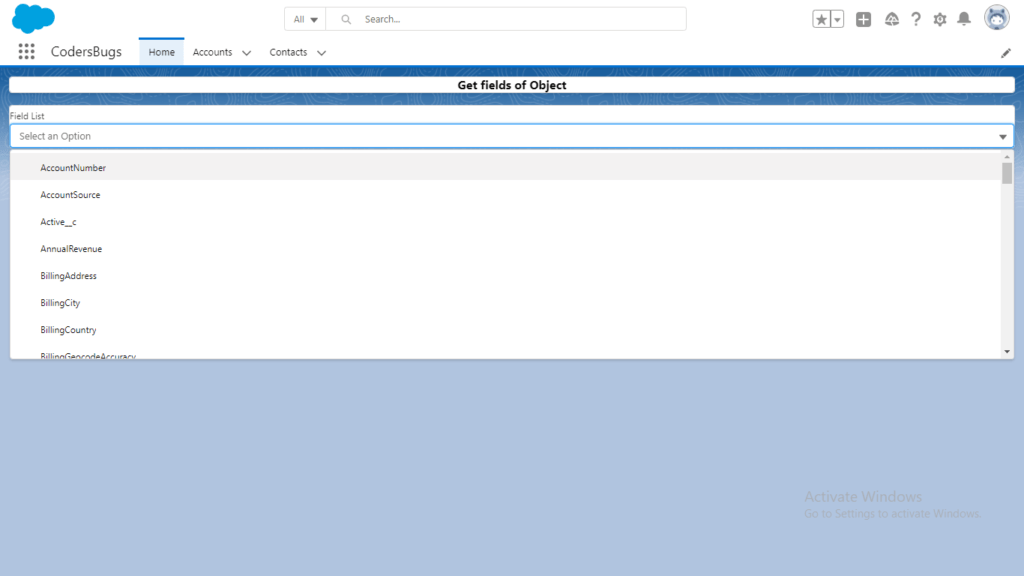
How the code works
getObjectInfo returns the object metadata, including a fields object with one entry per field. The @wire runs again whenever the property objectNameToGetFields changes, so you can switch from Account to any other object by changing that value.
Points to note
- The loop uses the field key as both value and label. Each field entry also carries a readable
label, so users can see friendly names. - Each field also tells you its
dataType, and whether it isrequired,createableorupdateable. - Building a new array and assigning it is simpler than pushing into a tracked array.
Cleaner version
import { LightningElement, wire } from 'lwc';
import { getObjectInfo } from 'lightning/uiObjectInfoApi';

export default class GetFieldsOfObjects extends LightningElement {
    objectName = 'Account';
    fieldOptions = [];

    @wire(getObjectInfo, { objectApiName: '$objectName' })
    wiredObjectInfo({ data, error }) {
        if (data) {
            this.fieldOptions = Object.values(data.fields)
                .map((f) => ({ label: f.label, value: f.apiName }))
                .sort((a, b) => a.label.localeCompare(b.label));
        } else if (error) {
            this.fieldOptions = [];
        }
    }
}
The result is a sorted list of label and API name pairs that you can pass to a combobox or a dual listbox.
FAQ
Does this need Apex?
No. The UI API adapter runs without Apex or SOQL.
Can I show only editable fields?
Yes. Add .filter((f) => f.updateable) before the map.