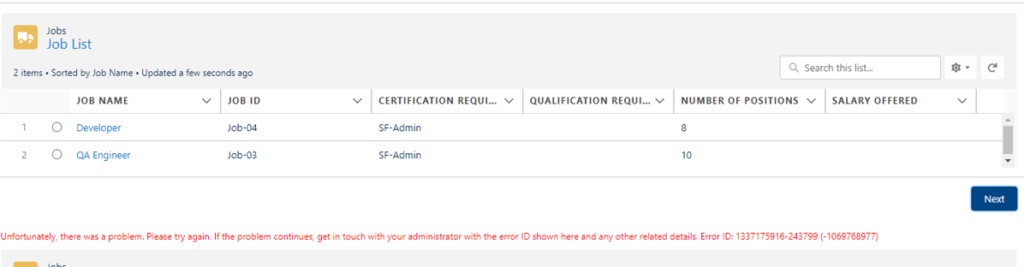
Error – Unfortunately, there was a problem. Please try again. If the problem continues, get in touch with your administrator with the error ID shown here and any other related details. Error ID: 1337175916-243799 (-1069768977).
I was getting this error In my salesforce Flow where I was using lighting web component which has some properties and we want to use data from that properties to next screen.
Solution –
The property we are trying to use was declared as array type []
@api valueToBeUseInFlow = [];
and on onClick event we have added String(event.value) to that [] variable like :
valueToBeUseInFlow = String(event.value) ;
By changing definition of valueToBeUseInFlow array to string resolved my issue.
@api valueToBeUseInFlow = ”;
Why this error appears
This is a general message. It means that something failed in the screen, and Salesforce does not show the real cause to the user. The Error ID helps your admin or Salesforce support find it, but you can often find the cause yourself.
Cause in this scenario: a type mismatch
The component property was declared as an array, but the code assigned a string to it. When a Lightning web component is used in a Flow, the property type in JavaScript and the type in the XML file must match what the flow expects.
// JavaScript
@api valueToBeUseInFlow = '';
<!-- meta XML -->
<targetConfig targets="lightning__FlowScreen">
<property name="valueToBeUseInFlow" type="String" label="Value" />
</targetConfig>
For a list of text values, declare the property as an array in JavaScript, and use type="String[]" in the XML.
Other common causes in screen flows
A required flow variable is empty or null when the next element needs it.
An Apex action throws an error that has no fault path.
The component does not tell the flow about a changed value. Use FlowAttributeChangeEvent from lightning/flowSupport.
A component property name in the XML does not match the name in JavaScript.
How to find the real error
Run the flow in debug mode from Flow Builder.
Open Setup, Debug Logs, add your user and run the flow again.
Open the browser console and look for red errors.
Add a fault path to each Apex action and Create or Update element and show the fault message on a screen.
FAQ
Where can I look up the Error ID? Give it to your Salesforce admin or support. They can match it to the log.
Does the same error appear for other reasons? Yes. It is a generic message, so test each part of the flow by itself.