Suppose that you want to get record types of any standard or custom object, here is the simplest way to solve your problem.
First you have to import uiObjectInfoApi in your component js file , uiObjectInfoApi is an multipurpose method/class which helps you fetch object information , which include object field , record types and other information related to selected object. You just need to know how to use that properly .
I have created two record types on contact object and master will be the default record .
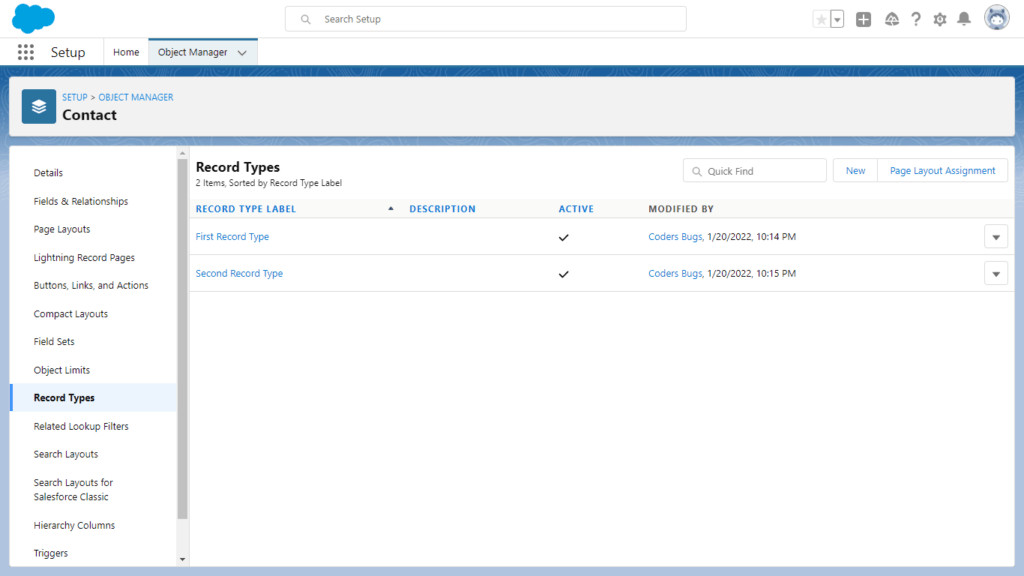
Now lets see how to get record types of contact object and use as a options of combobox.
import { LightningElement,api,track,wire } from 'lwc';
import { getObjectInfo } from 'lightning/uiObjectInfoApi';

export default class GetFieldsOfObjects extends LightningElement {
    @track objectNameToGetRecordTypes = 'Contact';
    @track lstRecordTypes =[];
    @wire(getObjectInfo, { objectApiName: '$objectNameToGetRecordTypes' })

    getObjectInfo({ error, data }) {
        if (data) {
            this.lstRecordTypes = [];
            for (let key in data.recordTypeInfos) {
                this.lstRecordTypes.push({ value: key, label:data.recordTypeInfos[key].name});
            }
        }
        else if (error) {
            console.log('Error while get record types');
            this.lstRecordTypes = [];
        }
    }
}
Above code will give list of record types available on contact object, now lets use that list in our combobox.
 <div class="slds-card">
        <lightning-combobox name="fieldList" label='Field List' options={lstRecordTypes} placeholder="Select Field"></lightning-combobox>
    </div>
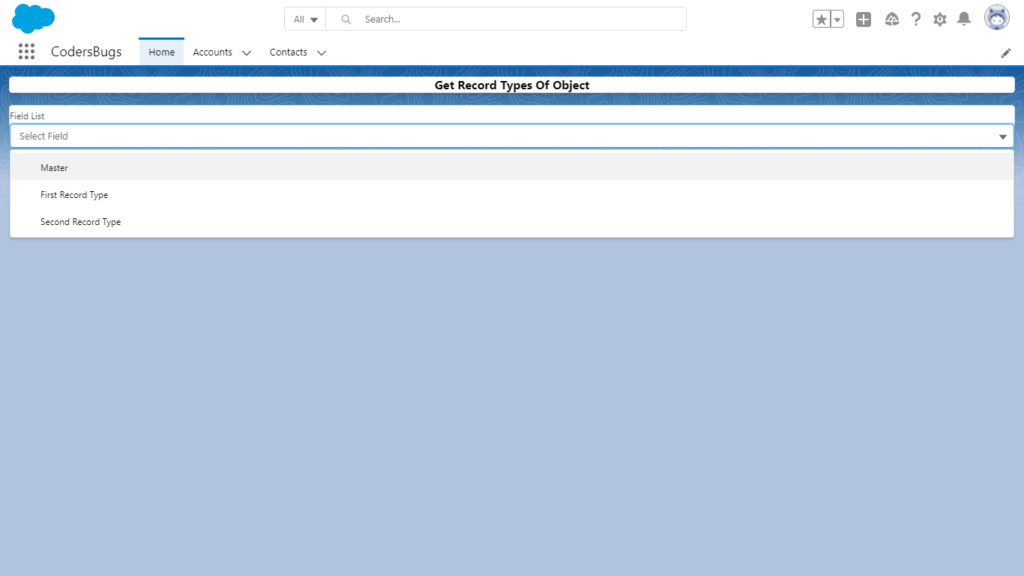
These is how simple we can get record types from any object and use those in our lwc component.
How the code works
getObjectInfo from lightning/uiObjectInfoApi returns information about an object, including recordTypeInfos. That is an object keyed by record type Id. The loop builds a list of label and value pairs that a combobox can use.
Points to note
- The list includes the Master record type. Skip it with the
masterflag if you only need your own record types. - Each record type also has an
availableflag that tells you whether the current user can use it. - The wired method has the same name as the imported function. A different name, such as
wiredObjectInfo, avoids confusion. - Pushing into a tracked array works, but building a new array and assigning it is easier to follow.
Cleaner version
import { LightningElement, wire } from 'lwc';
import { getObjectInfo } from 'lightning/uiObjectInfoApi';

export default class RecordTypeList extends LightningElement {
    objectApiName = 'Contact';
    recordTypeOptions = [];

    @wire(getObjectInfo, { objectApiName: '$objectApiName' })
    wiredObjectInfo({ data, error }) {
        if (data) {
            this.recordTypeOptions = Object.values(data.recordTypeInfos)
                .filter((rt) => !rt.master && rt.available)
                .map((rt) => ({ label: rt.name, value: rt.recordTypeId }));
        } else if (error) {
            this.recordTypeOptions = [];
        }
    }
}
The result is a ready list of available record types. Bind it to options on a lightning-combobox.
FAQ
Why is the object name written as $objectApiName?
The $ makes the wire reactive. When the property changes, the wire runs again.
Do I need Apex for this?
No. The UI API gives you the record types without Apex or a SOQL query.