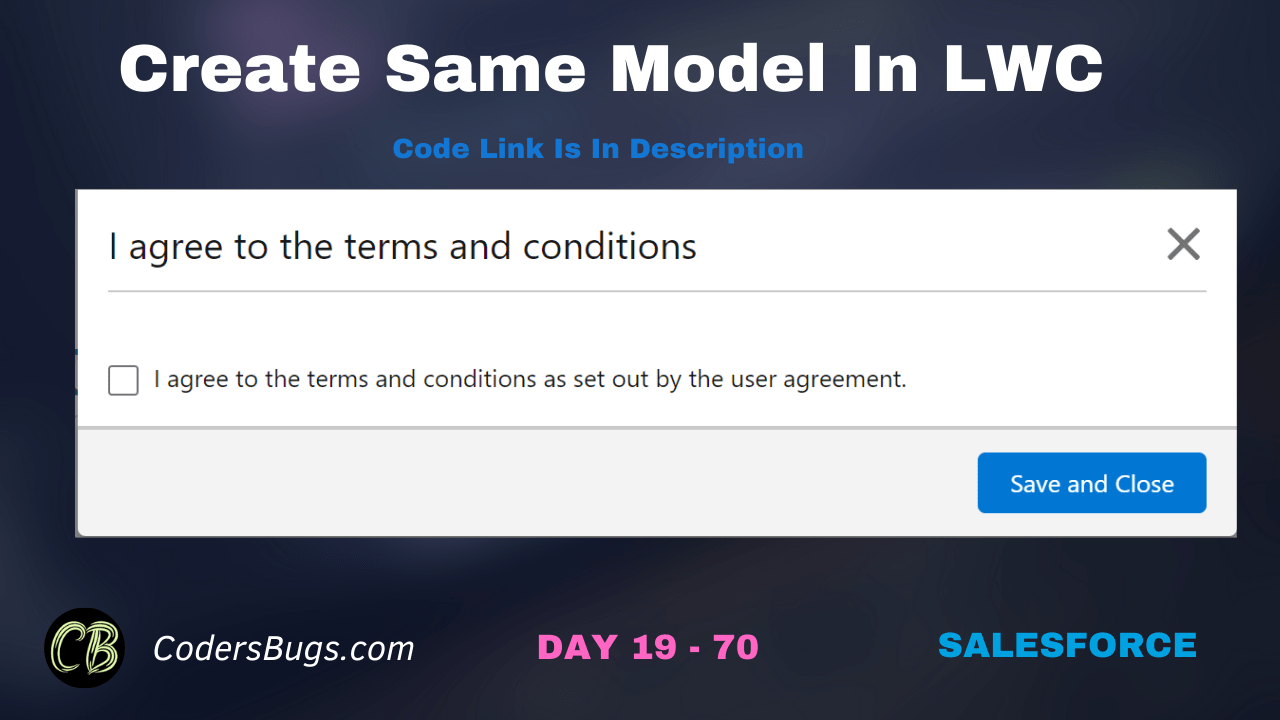
Find the code here to create LWC model with cross icon inside it.
HTML File
					<template>
    <lightning-button onclick={openLightningModel} label="Open Model"></lightning-button>
    <div if:true={showPopup}>
        <section role="dialog" tabindex="-1" aria-modal="true" aria-labelledby="modal-heading-01" class="slds-modal slds-fade-in-open slds-modal_small">
           <div class="slds-modal__container">
              <div class="slds-modal__content slds-p-around_medium">
                <header class="slds-card__header slds-grid">
                    <div class="slds-media slds-media_center slds-has-flexi-truncate">
                        <div class="slds-media__body">
                            <span class="slds-modal__title slds-hyphenate">I agree to the terms and conditions</span>
                        </div>
                        <div class="slds-no-flex">
                            <lightning-icon icon-name="utility:close" size="small" alternative-text="close" title="close" onclick={closeLightningModel}></lightning-icon>
                        </div>
                    </div>
                </header>
                <hr style="width: 100%; margin-top: 10px; height:3px;" />
                <fieldset class="slds-form-element">
                    <div class="slds-form-element__control">
                        <div class="slds-checkbox">
                            <input type="checkbox" />
                            <label class="slds-checkbox__label">
                                <span class="slds-checkbox_faux"></span>
                                <span>I agree to the terms and conditions as set out by the user agreement.</span>
                            </label>
                        </div>
                    </div>
                </fieldset>
              </div>
              <div class="slds-modal__footer">
                 <lightning-button label="Save and Close" variant="brand" onclick={saveAndClose}></lightning-button>
              </div>
           </div>
        </section>
        <div class="slds-backdrop slds-backdrop_open" role="presentation"></div>
     </div>
</template>
JS File
					import { LightningElement, track } from 'lwc';

export default class ModelWithCross extends LightningElement {
    @track showPopup = false;

    openLightningModel() {
        this.showPopup = true;
    }

    closeLightningModel() {
        this.showPopup = false;
    }

    saveAndClose() {
        this.showPopup = false;
    }
}
In this video we have demonstrated and explain the code.