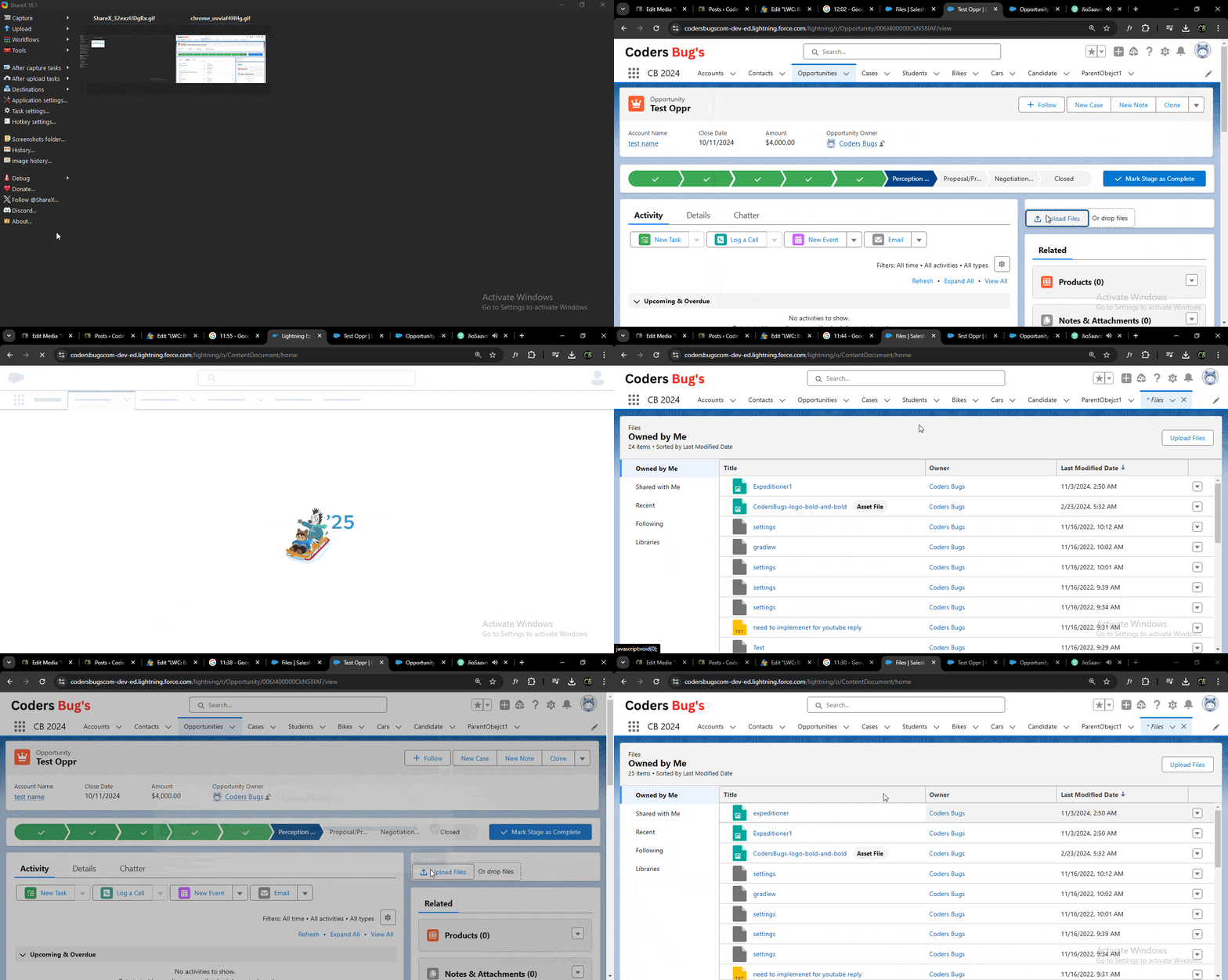
LWC: Basic File Uploader Post author:Swapnil Jaiswal Post published:November 2, 2024 Post category:Blog / Salesforce Post comments:0 Comments Hello Dear Coders, What we are building today? A basic file upload component using LWC which will upload file to standard Content Document object. We will be using standard lightning-file-upload to upload file. <lightning-file-upload record-id={recordId}></lightning-file-upload> lightning-file-upload requires record-id attribute, and record get saved to standard ContentDocument object. See Demo: Uploading image using LWC lightning-file-upload Here is the complete code to build simple image uploader using lighting-file-upload lighting web component. HTML fileJS fileXML fileFind all three files below: HTML File <template> <!-- // this lightning-file-upload component directly upload image to attachment (ContentDocument object) --> <div class="slds-card"> <lightning-file-upload name="fileUploader" accept={acceptedFormats} record-id={recordId} onuploadfinished={handleUploadFinished} disabled={imageSelected}> </lightning-file-upload> </div> </template> JS File import { LightningElement, api, track } from 'lwc'; export default class BasicImageUploader extends LightningElement { @api recordId; @track imageSelected = false; get acceptedFormats() { return ['.jpg','.png']; } handleUploadFinished(event) { const uploadedFiles = event.detail.files; if(uploadedFiles && uploadedFiles.length > 0){ console.log('image uploaded check notes and attachment'); } } } Note: You can use multiple formats depends on requirement. Example: Passing image and pdf formats. get acceptedFormats() { return ['.jpg','.png','.pdf','.jpeg']; } XML File <?xml version="1.0" encoding="UTF-8"?> <LightningComponentBundle xmlns="http://soap.sforce.com/2006/04/metadata"> <apiVersion>59.0</apiVersion> <isExposed>true</isExposed> <masterLabel>Basic Image Uplader</masterLabel> <targets> <target>lightning__RecordPage</target> </targets> </LightningComponentBundle> Company wise salesforce interview questions: TCS Salesforce Deloitte KPMG L & T Infosys Lirik Capgemini TechAim Bajaj Finance EY Logixal Hexaware Tech Workday Apisero You Might Also Like Apex Basics Quiz – Test Your Salesforce Apex Knowledge September 3, 2026 Virtusa Salesforce Developer Interview Questions January 26, 2025 Retrieve Approval Processes using package.xml November 11, 2024 How to fetch all Fields of any Standard or Custom obeject in salesforce lwc. January 3, 2022 How to use custom labels in lwc salesforce. January 22, 2022 Trigger: On Update Create new Task on Primary Contact of Opportunity January 5, 2025 Leave a Reply Cancel replyCommentEnter your name or username to comment Enter your email address to comment Enter your website URL (optional) Save my name, email, and website in this browser for the next time I comment.