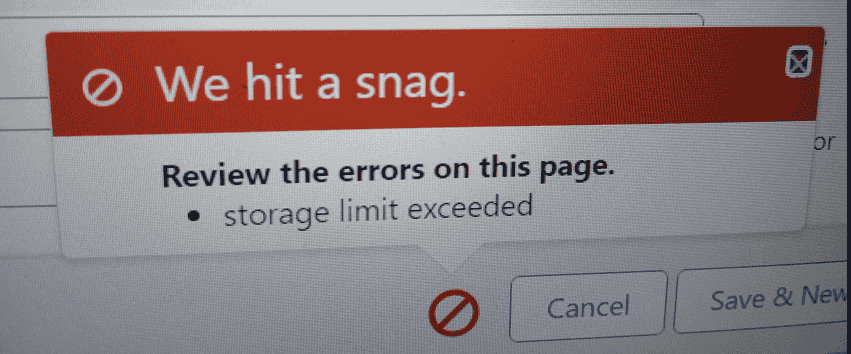
If receiving storage limit exceeded messages in production, you have to contact Sales.
Using Developer Console Execute following code to fix this error:
Note: Do not run this code snippet in Production/AT/QA Environments.
Solution 1:
List<ltnadptn__Lightning_Adoption_Report_Snapshot__c> lst = [SELECT Id FROM ltnadptn__Lightning_Adoption_Report_Snapshot__c];
delete lst;
Solution 2
Database.delete([SELECT Id from ContentDocument], false);
Other Solutions
1 : Delete Test Records
2: Delete Non Required Asset Files
3 : Contact SF Sales to increase storage.
Read this first
The two code snippets above are destructive. The second one deletes every file in the org. They are meant for a throwaway developer sandbox only, never for production, UAT or QA. Always check what a delete will remove before you run it.
Find out what uses the space
In Setup, search for Storage Usage. It shows data storage and file storage, and the objects and users that use the most.
Open the Largest Objects table to see which objects hold the most records.
Check the Recycle Bin. Deleted records still count until they are removed from the bin.
A safer way to delete files in a sandbox
// Only the current user, older than 90 days. Review the count first.
List<ContentDocument> docs = [
    SELECT Id FROM ContentDocument
    WHERE OwnerId = :UserInfo.getUserId() AND CreatedDate < LAST_N_DAYS:90
];
System.debug('Files found: ' + docs.size());
// Database.delete(docs, false);
Run it once with the last line commented out to see how many files match. Remove the comment marks only when the number is what you expect.
Other ways to free space
Delete test and old records with Data Loader or the Mass Delete tool, starting with the largest objects.
Remove unused attachments and files, and large email attachments.
Empty the Recycle Bin.
Archive old data outside Salesforce.
Ask your Salesforce account team about extra storage if you really need it in production.
FAQ
Do sandboxes have the same storage as production? No. The storage depends on the sandbox type. A Developer sandbox has the smallest limit, and a Full sandbox matches production.
Will a delete free the space at once? Not always. The space is freed after the records are removed from the Recycle Bin.